Last reviewed: November 2026
This page is a guide to the files. For how the mesh becomes a CAD model, read scan to CAD in SolidWorks. For the overview of the whole process, read what is reverse engineering.
Which file do you need? A quick guide
| What you want to do | File to ask for |
|---|---|
| Keep a record of the part as it is | STL mesh |
| Check a part against its nominal CAD | STL mesh to compare, and the PDF report for the result |
| Hand an inspection result to a customer or auditor | PDF report |
| Edit, redesign or re-manufacture the part | STEP (or IGES or Parasolid) |
| Put the part into an assembly or a drawing | STEP (or IGES or Parasolid) |
| Machine, mould or cast the part | STEP (or IGES or Parasolid) |
| 3D print a copy | STL mesh, or STEP if you want to change the part first |
What is the STL mesh, and when do you need it?
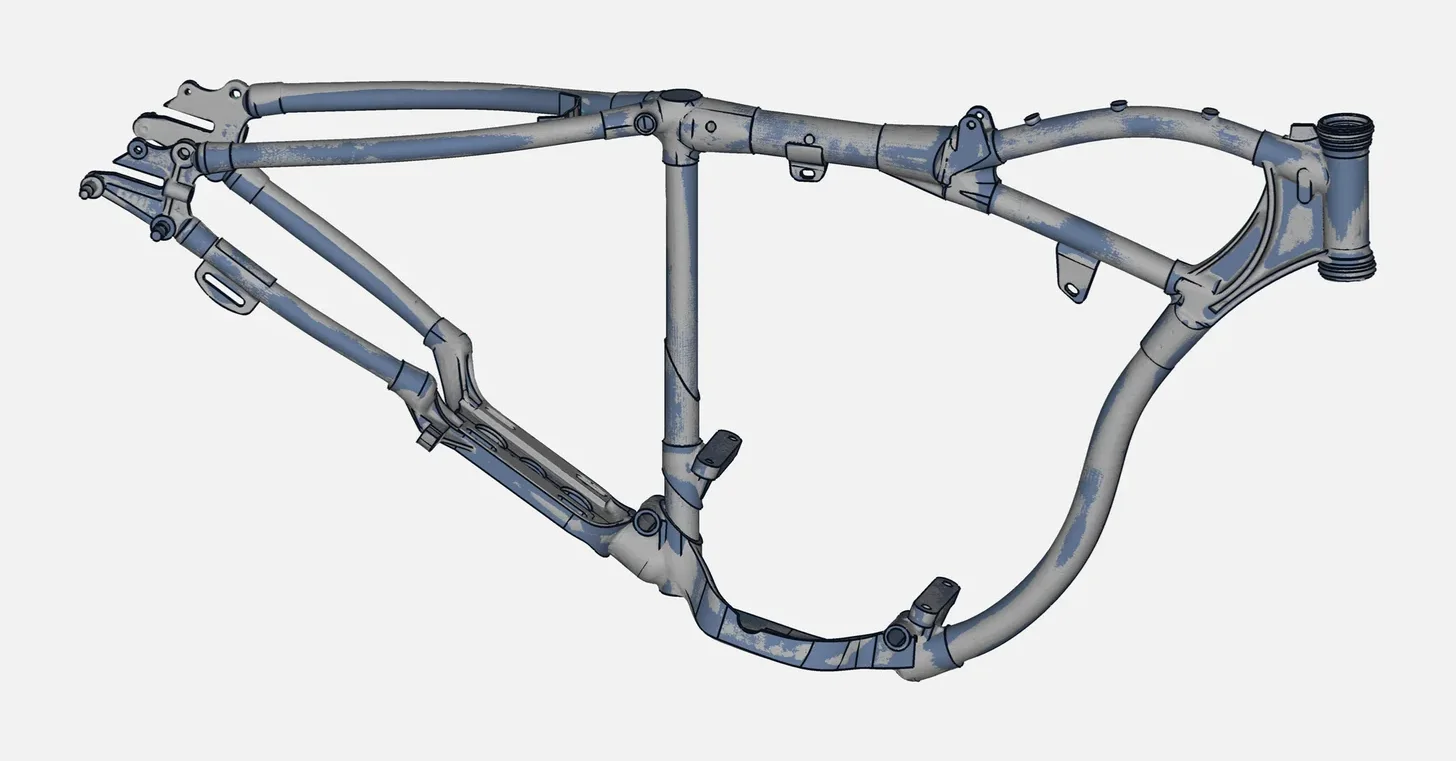
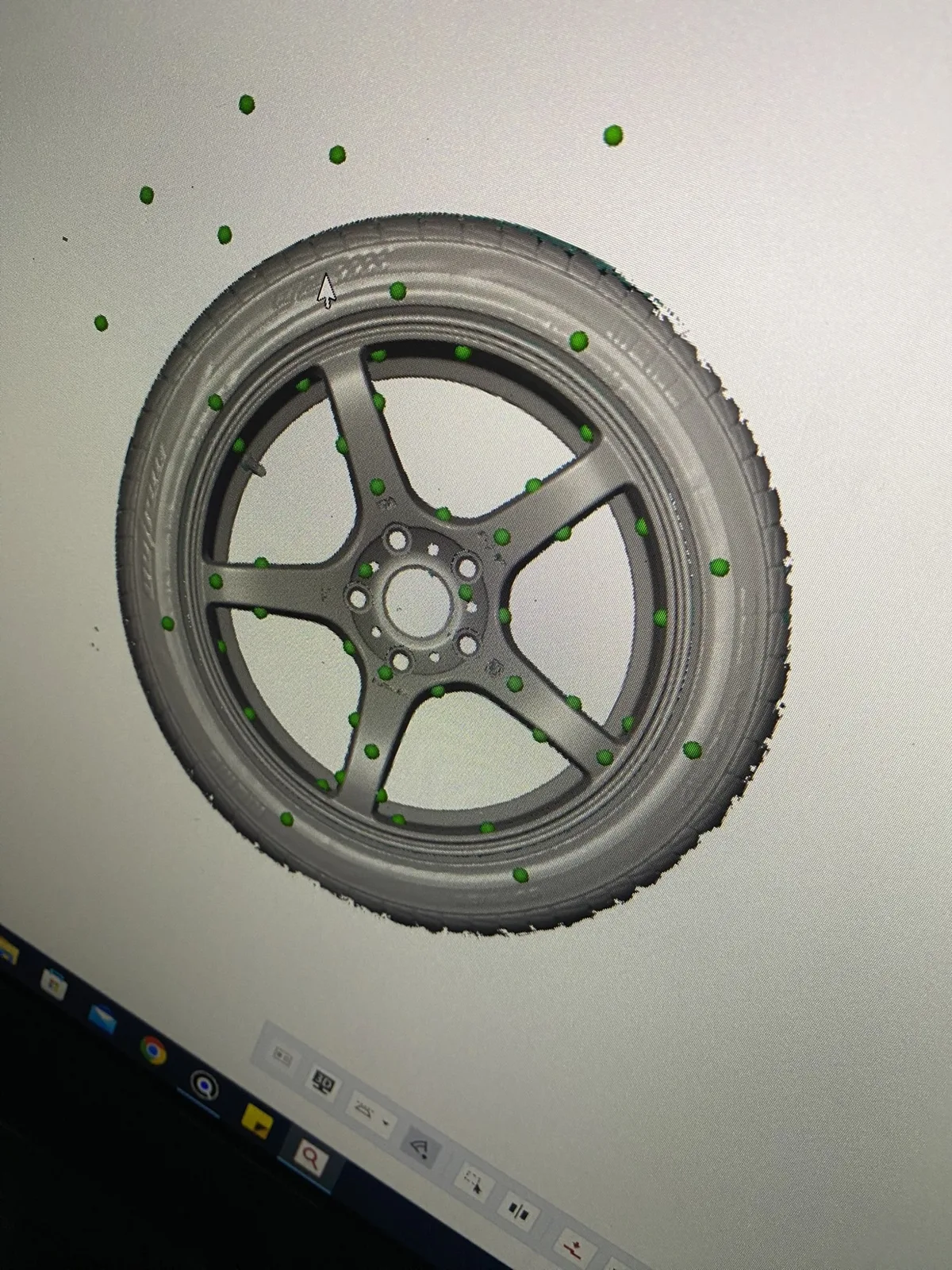
The scan comes out of the scanner as a mesh: a very large number of small triangles that copy the surface of the part, including wear, casting texture and damage. STL is the mesh format most people know. The Vertex scanners export STL, PLY, ASC and TXT, and other formats can be agreed on request.
- What it is good for: records, visual checks, renders, 3D printing, and comparing the part against its nominal CAD.
- What it is not good for: editing. You cannot easily change a hole size, add a fillet or send a mesh to a CNC programmer, because there are no real faces or dimensions in it.
- How we supply it: the STL is supplied on request, depending on what your job needs. Tell us if you want it with the CAD files.
What are STEP, IGES and Parasolid?
These are neutral CAD formats. They are the files you receive from reverse engineering, after the mesh has been rebuilt as a clean model. They open in your CAD software, for example SolidWorks, and in other CAD systems.
- STEP: a neutral solid and surface model. This is the usual choice, and the first one to ask for if you are not sure.
- IGES: an older neutral format, mainly surfaces and curves. Choose it when the receiving software or a vendor asks for it.
- Parasolid: a solid-modelling kernel format used by several CAD systems. Choose it when your CAD software reads it directly.
- Other neutral formats: available when your software needs something else. Tell us what you use.
A neutral file carries the shapes and dimensions. It does not carry the original feature tree of another system, and we do not supply native files of any one CAD system as standard. If you plan to edit the model a certain way, tell us before we start and we will say what you will receive. The modelling steps behind these files are in scan to CAD in SolidWorks.
What is in the PDF inspection report?
When the job is inspection, the main deliverable is a PDF report. It contains:
- a deviation colour map, which shows where the scanned part is inside or outside the nominal CAD
- the dimensions measured on the part
- GD&T callouts for the features that need them
The report is usually ready in 2-3 days. It is a document for decisions and records, not a model: you read it, share it with a customer or supplier and file it. If you also want the mesh to check the result yourself, ask for the STL with the report. How the colour map is read, and how it compares with a CMM, is in 3D scanning vs CMM inspection, and our service page is CMM inspection services in Coimbatore.
Mesh, CAD or report: which one carries which information?
| STL mesh | STEP, IGES, Parasolid | PDF report | |
|---|---|---|---|
| What it is | The scan itself, as triangles | A rebuilt, editable model | A document with results |
| Shows wear and damage | Yes, as scanned | Only where you asked to keep it | Shown on the colour map |
| Can you change dimensions? | No | Yes, in your CAD software | No |
| Comes from | Scanning | Reverse engineering | Inspection |
| Typical use | Record, print, compare | Redesign, manufacture, assembly | Quality record, supplier or customer proof |
Most jobs combine them. A spare-part rebuild gives STEP plus the STL for reference. An inspection gives the PDF plus the STL on request. A redesign gives STEP and a PDF of the deviation between the model and the scan.
How do you tell us which files you want?
Tell us before the scan, because the job is planned around the deliverable:
- what you will do with the files (inspect, redesign, manufacture, print, archive)
- which CAD software and which file format you use
- whether you want the STL as well as CAD or the report
- whether wear or damage should be kept or corrected in the model
If you are unsure, send a photo of the part and what you need, and we will say which files make sense. Quote on request.
Where do we deliver these files?
VShark Solutions works from Coimbatore, India, and serves clients in the UAE as a service area. We cover 3D scanning services in India, reverse engineering services in India and how we rebuild a spare part that has no drawing. By industry, see automotive reverse engineering, mould and die scanning, casting and foundry scanning and industrial machinery spare parts. If the STL is going to a printer, see 3D printing from your scan and from 3D scan to 3D print. To understand the quality of the scan behind the files, read handheld 3D scanner accuracy. VShark is a distributor of JINUOSH.